

With the ever increasing number of models becoming available to us in the Copilot Studio product, it can be difficult to decide which is the best fit for our agent, both from a performance and cost perspective. Those wonderful folks at the CAT team have us covered with the Model Assessment feature in the Copilot Agent Kit! Let’s take a look!
✨ If you’re not familiar with the Kit, you should take a look back at my first blog here and get familiar with what the kit is before starting.
Model Assessment is part of our Advanced Testing feature within the kit and will require both your Agents and Test Sets to have been configured for the Agent you wish to run assessments on. Please review this documentation and ensure you have configured your agents prior to running Model Assessment.
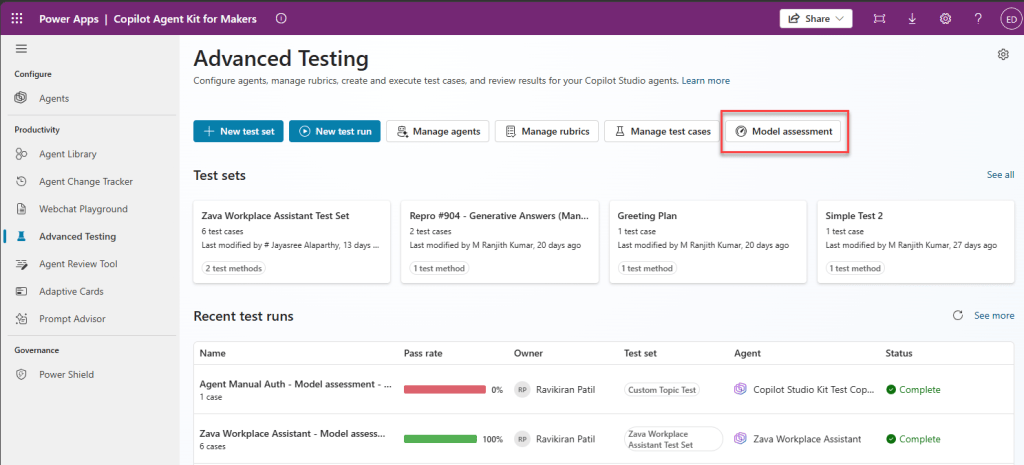
Model Assessment can be selected from the Advanced Testing window as seen below:
Once open, we will see all of the agents we have available to run assessments on including ones that may be in progress and any agents that have undergone a change and may require an assessment:
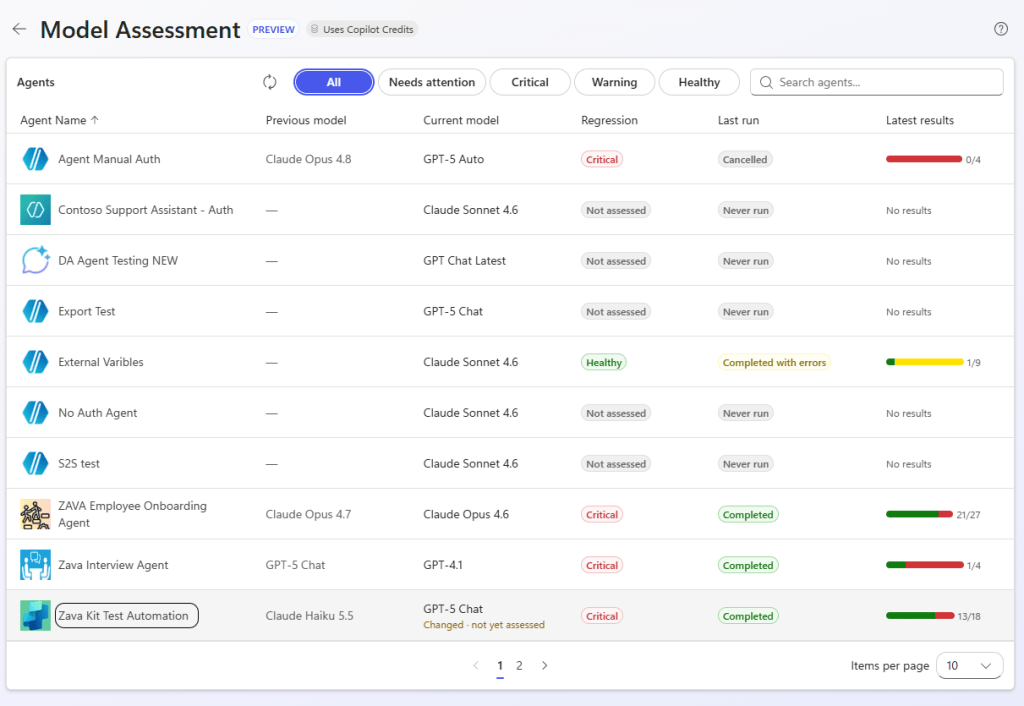
I can see the Zava Kit Automation agent at the bottom has changed recently but hasn’t been assessed, so I’ll select that one and run an assessment
When I select the agent, I can see the model in the agent has been changed. I can also see all of the previous assessments that have been run, when they were run and the average credit cost per test answer of that model
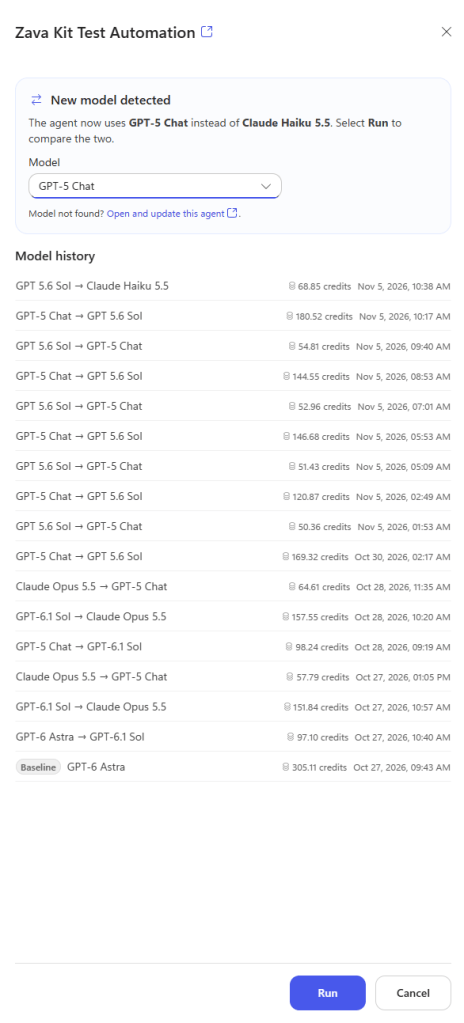
✨ NOTE: It is important to note here that every assessment costs between 120 – 150 credits to run. There is a UI update coming to advise users of this cost. However, I feel this is a very low price to pay given the potential cost savings when making comparisons between GPT 5.6 Sol and GPT-6 Astra as an example.
I haven’t run an assessment on Claude Opus 4.8 for this agent yet, so I select that model and hit run.
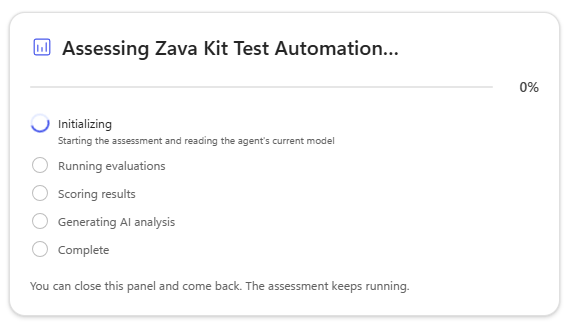
The assessment takes a bit of time, so we will leave that to run and take a look at some other comparisons. First, let’s open the baseline run of GPT-6 Astra:
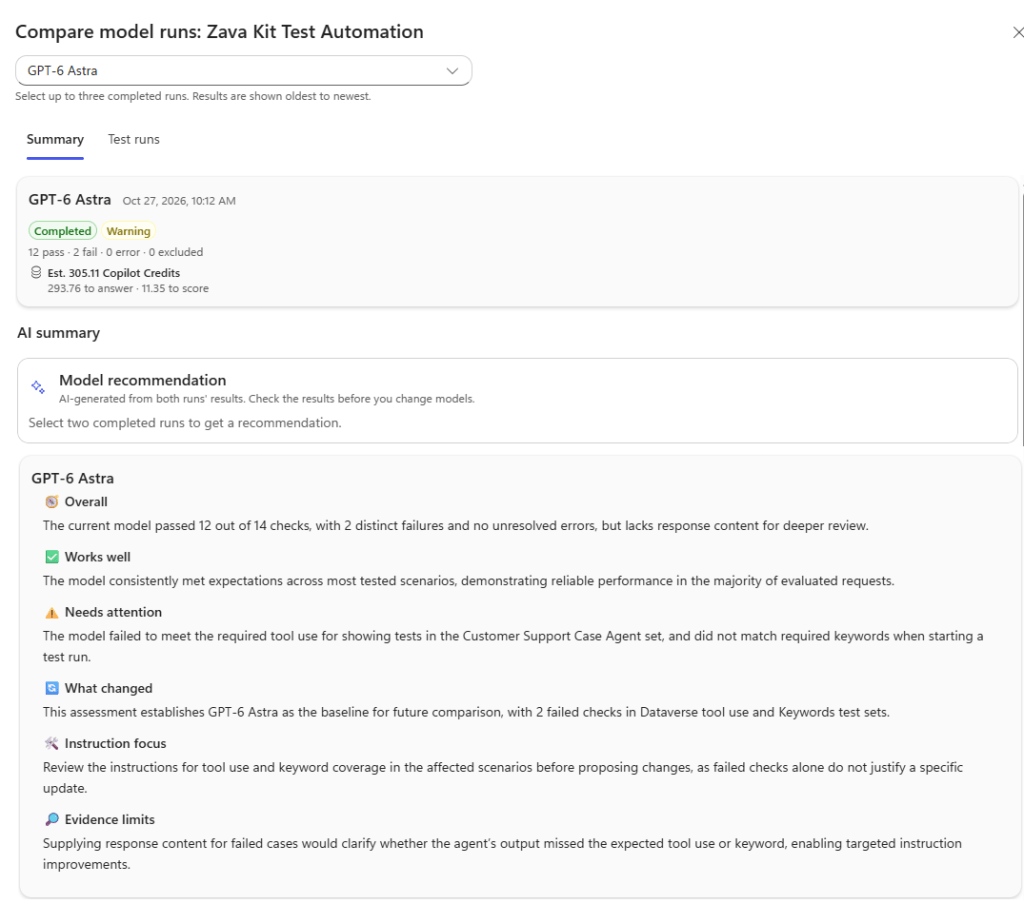
The summary tab gives us a snapshot of how the model performed against our test set and the estimated number of credits to perform the test. We also get a look at what went well, what didn’t go as well and where can we make improvements to the agent to make it work best with this model.
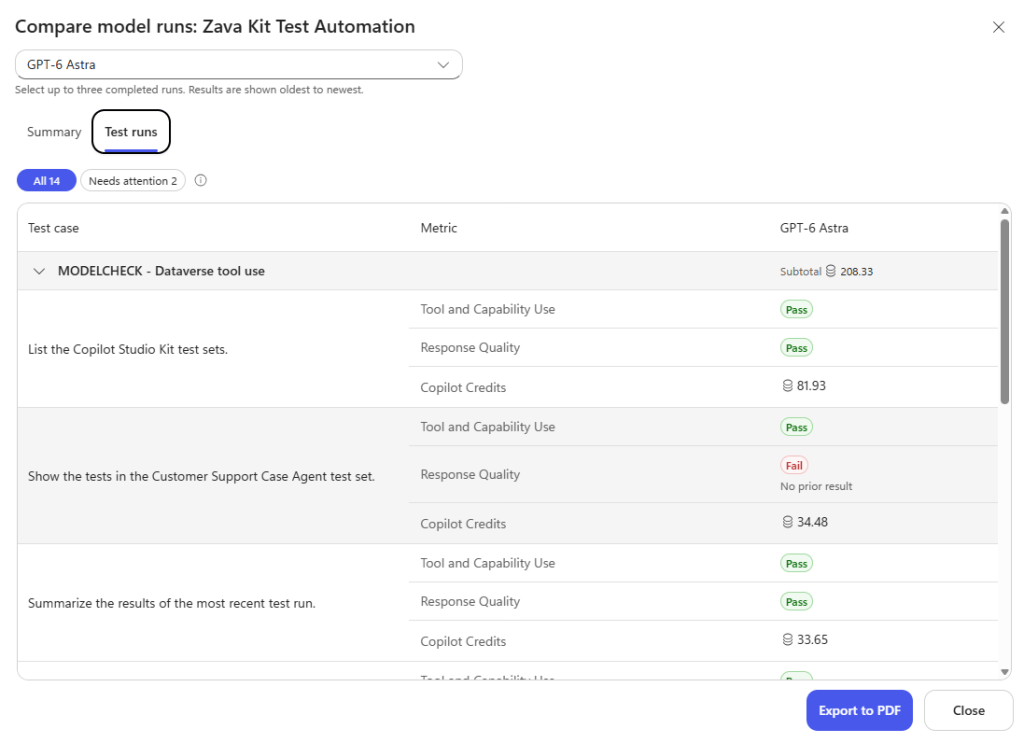
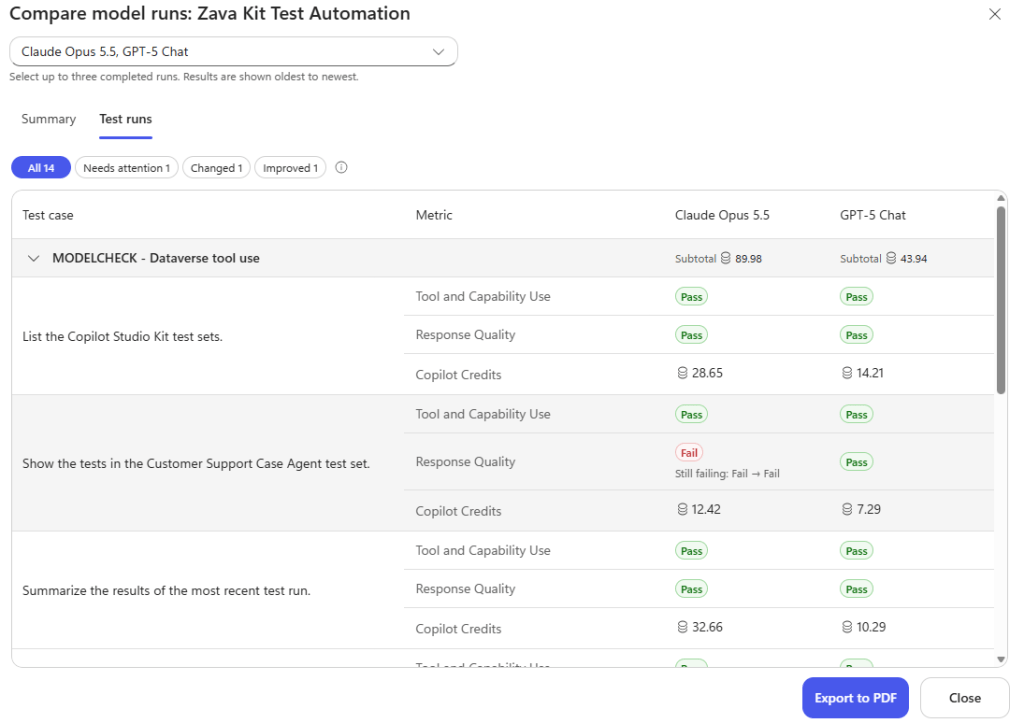
If we tab over to the Test Runs section, we’ll get a breakdown of what happened, how much each test cost and how well the agent responded using the model. We can even export all this info to PDF.
Now let’s compare two models for even more information. In the dropdown, we can compare up to three models:
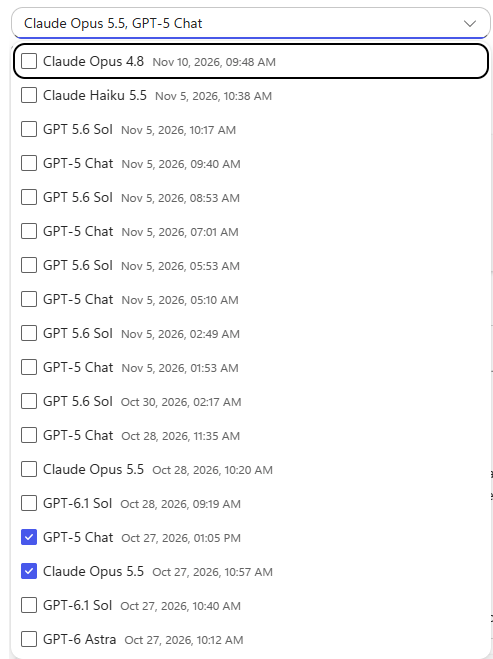
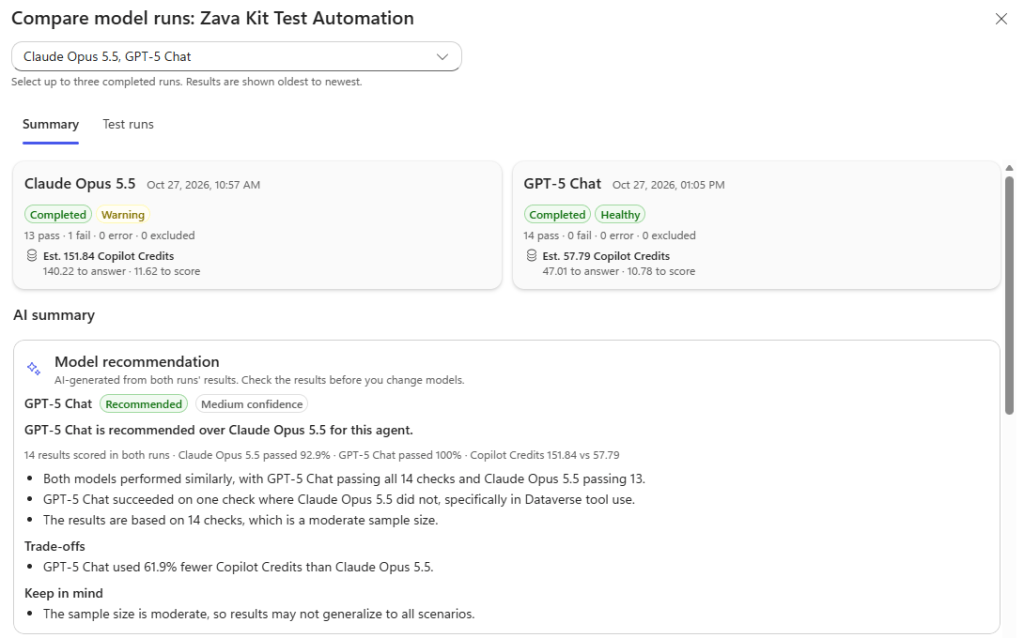
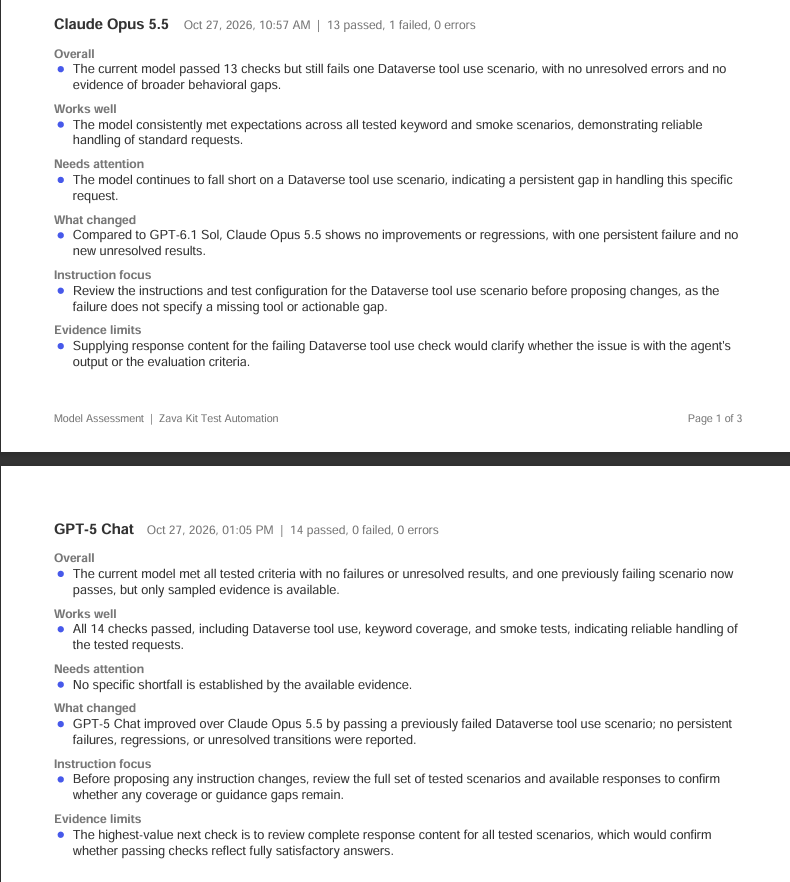
In this example, based on the test set used on Oct 27th, GPT-5 Chat is the recommended option. Both options fared well, but GPT-5 Chat is both the cheaper option and had no failures whereas Opus 5.5 had 1 failure. The AI recommendation does also note that the test set in my example is of moderate size and to take this into consideration.
Looking at the PDF print out (to give you a different view of the content) we can see how the two stack up against each other:
And we can see how the test set performed side by side:
So there you have it! A complete tool to make an informed choice on which model is the right one for your agent and your wallet. Have any questions? Please let us know over on GitHub! Keep an eye out for more exciting credit conscious features coming soon to your favourite FREE open-source toolkit!

